

Step 1: In the action bar at the left of the screen, select the Text action.
Write the idea of your application.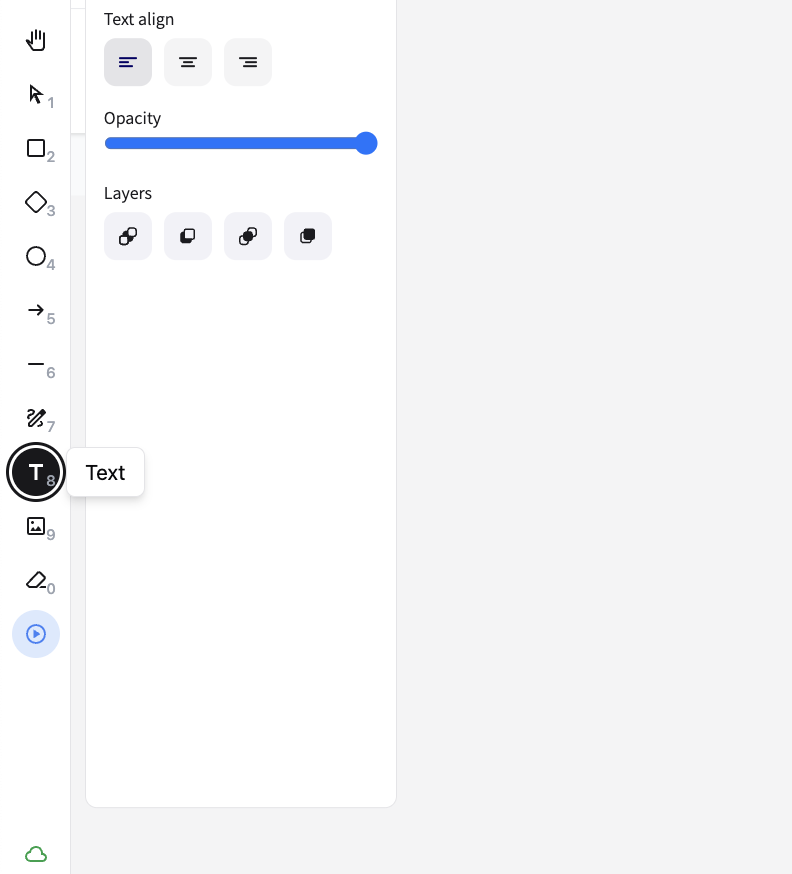
Using the Text Action
Step 2: Generate your App
Press the App Button at the top of the screen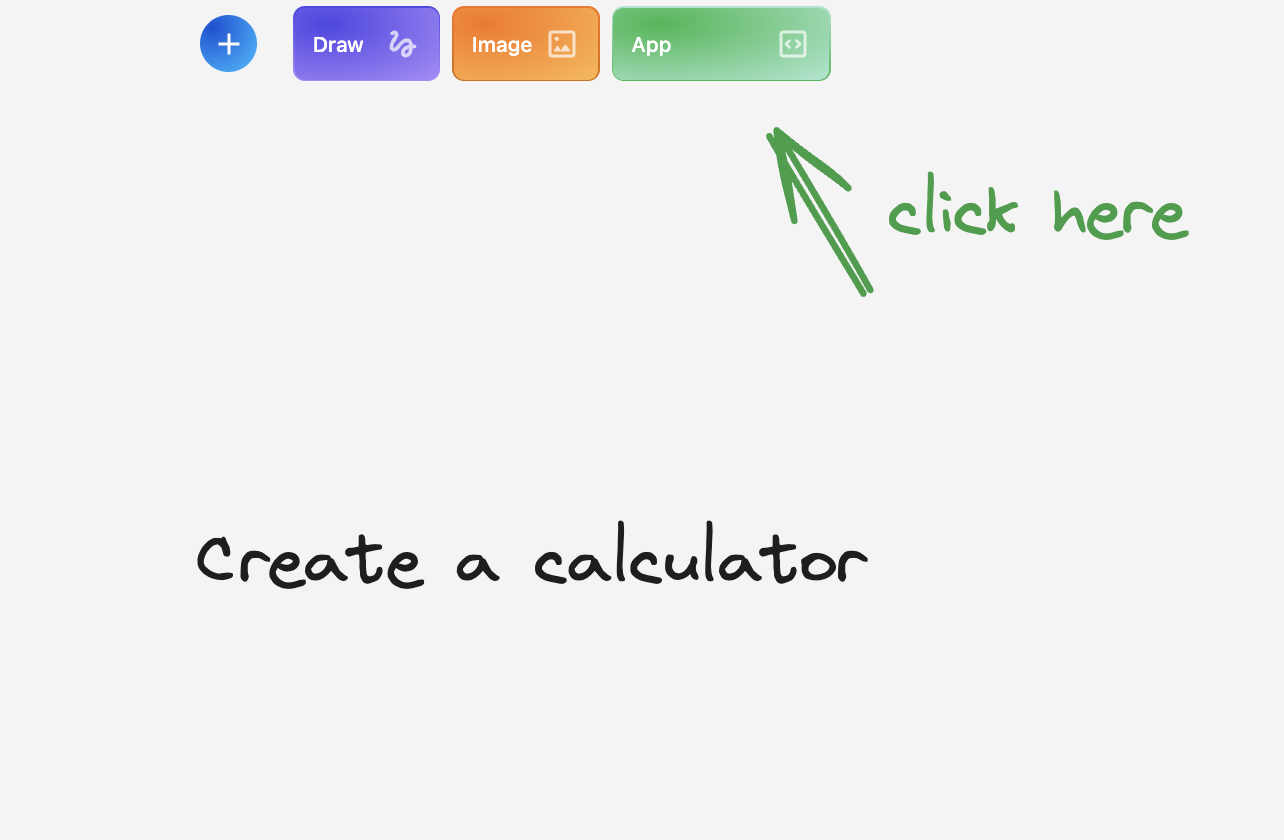
App Button Generation
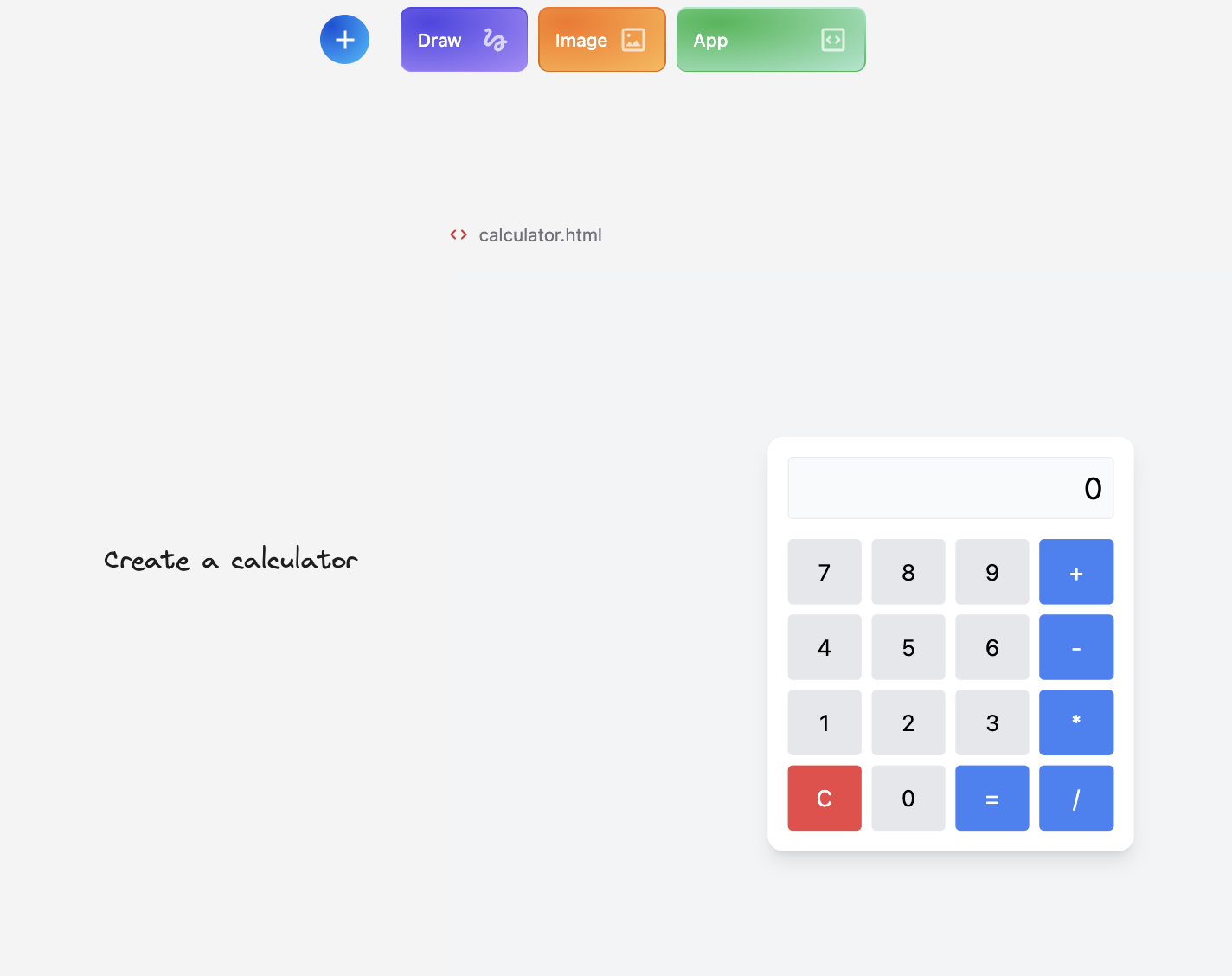
App Button Generation
Step 3 (Optional): Publish your App
Select the html and click on Publish
Publish your App
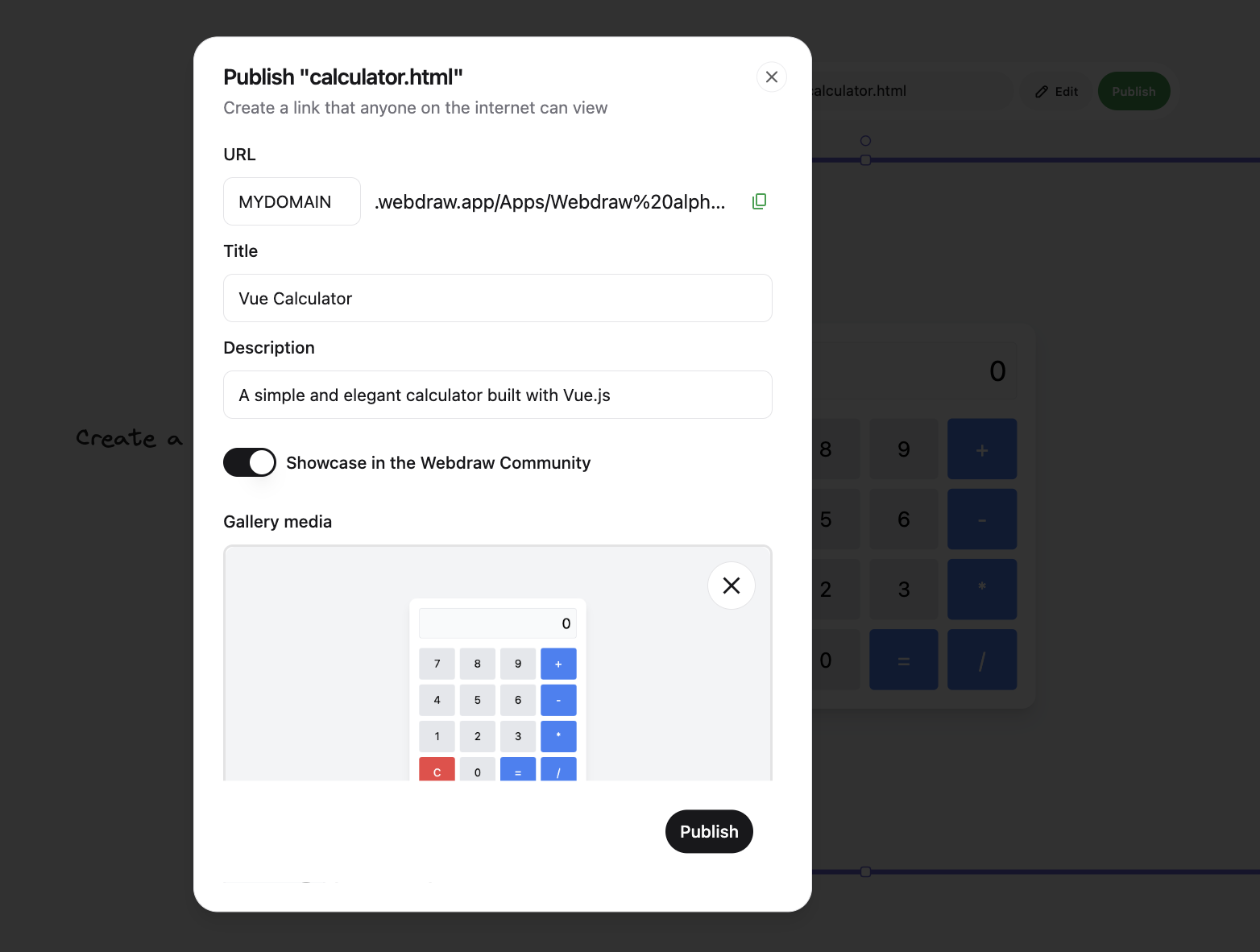
Publish your App